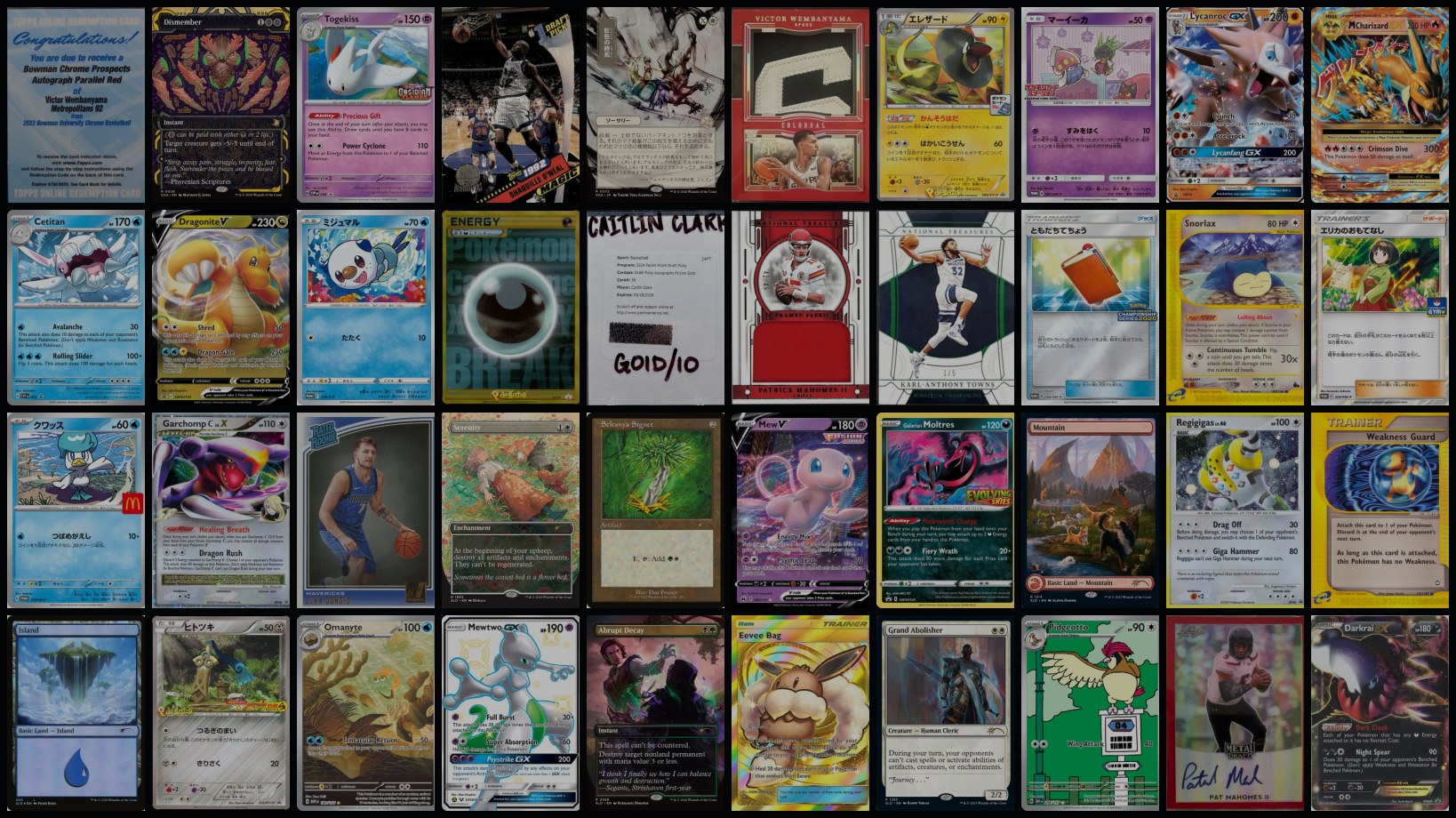
mDex is open source: bring your own catalog
The offline visual matcher from the card-scanner post is now on GitHub, Apache-2.0, minus the cards. Point the tools at a folder of your own images, build the index on a Mac, and an iPhone recognizes those objects through the camera. No network, no server. Here's how to run it, feed it your own catalog, and reproduce the benchmarks.
On this page · 6 sections
The card scanner post ended with "code drops next week." Here it is: mdex-personal-matcher, on GitHub now, Apache-2.0.
It's the bring-your-own-catalog version of mDex. The card-specific parts stayed home: no crawlers, no price feeds; how you assemble images and metadata for your own catalog is up to you. What shipped is everything else: the indexing tools, the SwiftUI app, the OpenCV matching shim, and the benchmark harness. Give it a folder of images plus a small JSON manifest, build a match database on your Mac, bundle it into the app, and the phone recognizes those objects through the camera, fully on-device.
The pipeline is tuned for flat things. FORB's categories are the honest list: cards, book covers, movie posters, paintings, currency, logos, packaged goods. If it's roughly planar and visually distinctive, ORB keypoints plus a homography check will find it.
What's in the box
tools/     index build, BoW, eval, FORB bench, deploy scripts, browser test server
ios/       SwiftUI app; Xcode project generated from ios/project.yml with XcodeGen
examples/  CC0 example dataset (Met paintings), built index, build script
viewer/    zero-dependency local page to browse a built DB
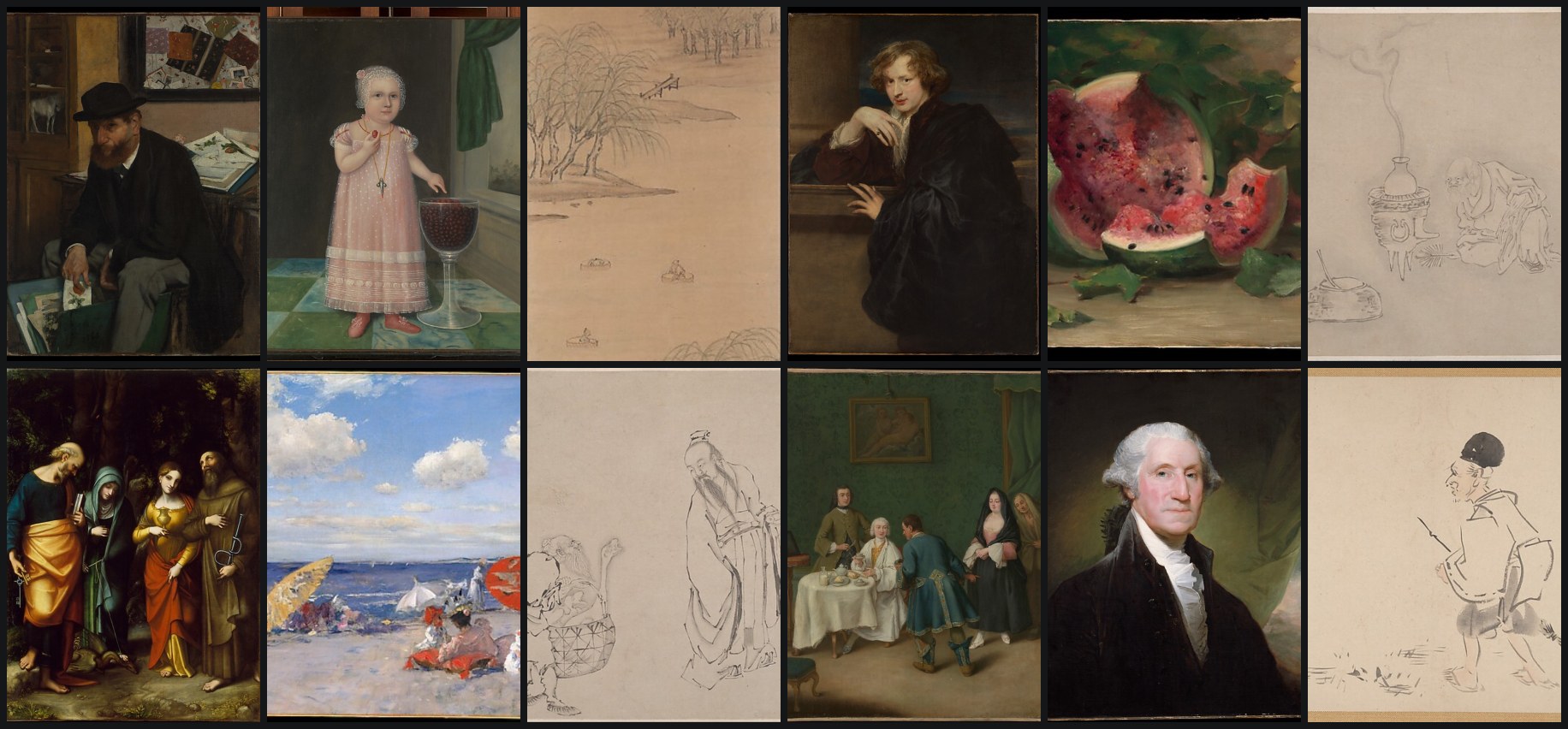
docs/ benchmarks, research notes, FORB setup- The example dataset is 36 CC0 paintings from The Met's Open Access program, split across three departments so the app's category picker and scan-time filter light up out of the box.
- Two browser tools let you validate matching before ever opening Xcode: a DB viewer, and a test server that takes an uploaded photo and returns ranked matches.
- The FORB benchmark harness behind the last post's leaderboards ships in
tools/, with docs to reproduce every table.
Run the example in ten minutes
Prerequisites: macOS with Xcode 16+, XcodeGen (brew install xcodegen), Python 3.11+, and Node 18+ only if you want the DB viewer. OpenCV arrives prebuilt: Swift Package Manager on the iOS side, pip on the Python side.
# 1. Python environment
python3 -m venv .venv
.venv/bin/pip install -r tools/requirements.txt

# 2. Build the example index (36 CC0 Met paintings)
./examples/build_example_index.sh

# 3. Try it from the browser
(cd viewer && npm start)                # browse the DB · port 8020
.venv/bin/python tools/test_server.py   # upload a photo, see ranked matches · port 8010

# 4. Run the app + tests in the simulator (no signing needed)
./tools/sync_mobile_db.sh examples/db_paintings
cd ios && xcodegen generate
xcodebuild -project mDex.xcodeproj -scheme mDex \
  -destination 'platform=iOS Simulator,id=<SIM_UDID>' \
  -configuration Debug CODE_SIGNING_ALLOWED=NO test

# 5. Deploy to a connected iPhone
./tools/deploy_ios.sh examples/db_paintings
Simulator builds need no signing. Device builds need an Apple Development identity: cp .env.example .env, fill in your DEVELOPMENT_TEAM, and deploy_ios.sh picks it up. Once installed, the app works fully offline; airplane mode is the demo.
Bring your own catalog
The input contract is one folder per catalog: an images directory plus a manifest.json:
{
  "category": "paintings",
  "label": "Painting",
  "items": [
    {
      "id": 0,
      "file": "images/the-harvesters.jpg",
      "title": "The Harvesters · European Paintings #435809",
      "markdown": "- Oil on wood, 1565\n- Artist: Pieter Bruegel the Elder\n- Gallery 964",
      "source_url": "https://www.metmuseum.org/art/collection/search/435809"
    }
  ]
}
A few conventions do real work in the app:
category/label(optional): a bucket name and its display noun. Merge several manifests into one DB and the app grows a catalog category picker and a scan-time filter.title: theName · Set #Numberconvention feeds catalog search and the title/set sort orders.markdown: bullet-list details shown on match results and catalog cards. The first bullet is treated as the item's type line, and an- Artist: ...bullet drives artist search and sort.source_url(optional): canonical source link; items sharing it across merged manifests are deduplicated.
# ORB index: items.json + descriptors.bin + thumbnails/
.venv/bin/python tools/build_index.py \
    --manifest path/to/manifest.json --output dist/db_mine

# optional BoW shortlist index for bigger catalogs
.venv/bin/python tools/bow_index.py dist/db_mine --k 1024

# bundle it
./tools/sync_mobile_db.sh dist/db_mine   # or deploy_ios.sh to go straight to the phone
One flag worth knowing: bow_index.py --distractors DIR samples an external image corpus into the k-means pool, so the visual vocabulary doesn't overfit your catalog's art style.
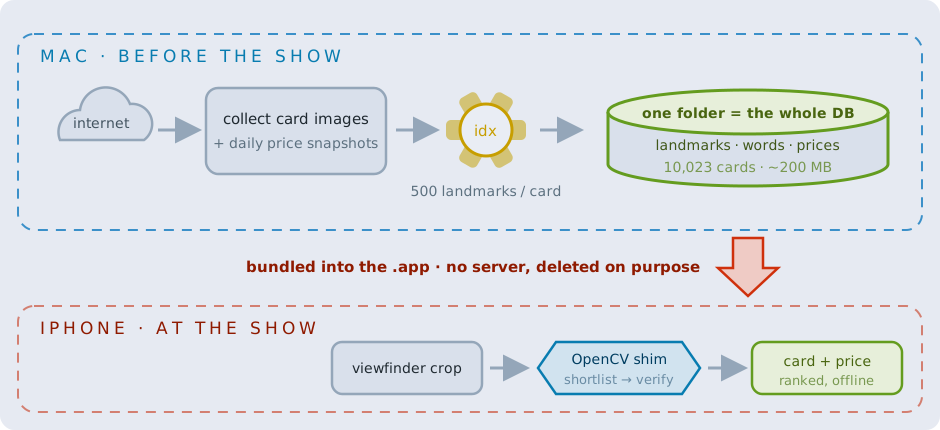
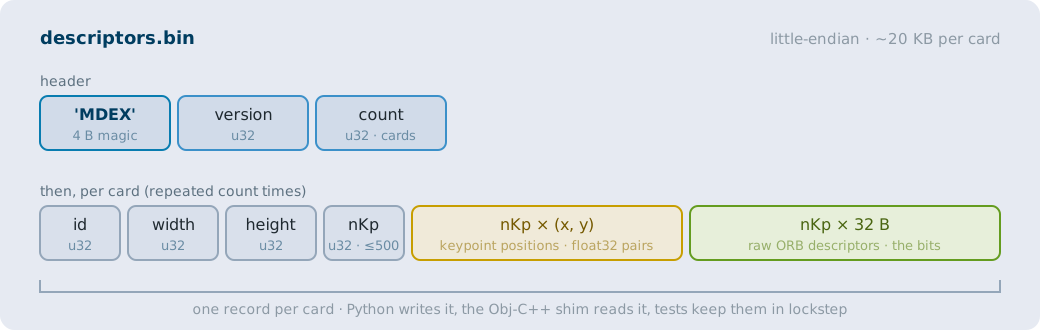
The "database" you just built is a folder of flat little-endian binary files: items.json, descriptors.bin, thumbnails, and optionally the two BoW files. The Python indexer writes it, the app's Obj-C++ shim reads it, and tools/eval_mobile_db.py is the reference implementation kept in lockstep with the shim on every pipeline constant, so the whole matching pipeline is testable from Python without a phone.
Matching, in one paragraph
The pipeline is the one the last post dissected at length: ORB keypoints (500 per database item, 1,000 per query), 2-NN Hamming matching with Lowe's ratio test, one homography found by MAGSAC++, score = inlier count, plus geometry sanity checks adapted from FORB to reject impossible warps. In front of that verifier sit three interchangeable shortlist engines for when a catalog outgrows brute force:
- Brute force: verify everything. Holds ~90% top-1 at every size tested, but it's linear: 4.6 s at 10k items.
- Bag of visual words (the default when its index files are present): tf-idf histograms over a k-means visual vocabulary. Zero extra runtime cost; recall decays past ~1–2k items.
- Apple FeaturePrint: iOS's built-in image embedding, the best-scaling deployable option, with zero megabytes added to the app. Embeddings are computed on-device on first launch, because FeaturePrint vectors are OS-revision-specific.
- MobileCLIP-S0 (optional): fetch Apple's ~25 MB Core ML encoder with
tools/fetch_mobileclip.py; without the download the app simply reports the engine unavailable.
The benchmarks ship too
Everything behind the last post's leaderboards is reproducible from this repo. The harness samples a local FORB download into 500 / 2k / 5k / 10k-item databases with a fixed seed, runs the same 150 real-photo queries against each, and regenerates the result tables. Headlines at 10k items, measured on an Apple Silicon Mac (treat times as relative; expect roughly 2–4× on an iPhone CPU for the OpenCV stages):
| Pipeline · 10k-item DB | top-1 | query time |
|---|---|---|
| brute force + MAGSAC++ | 89.3% | 4.57 s |
| FeaturePrint @800 + ORB/MAGSAC++ verify | 83.3% | 0.33 s |
| BoW k=2000 @400 + ORB/MAGSAC++ verify | 50.7% | 0.16 s |
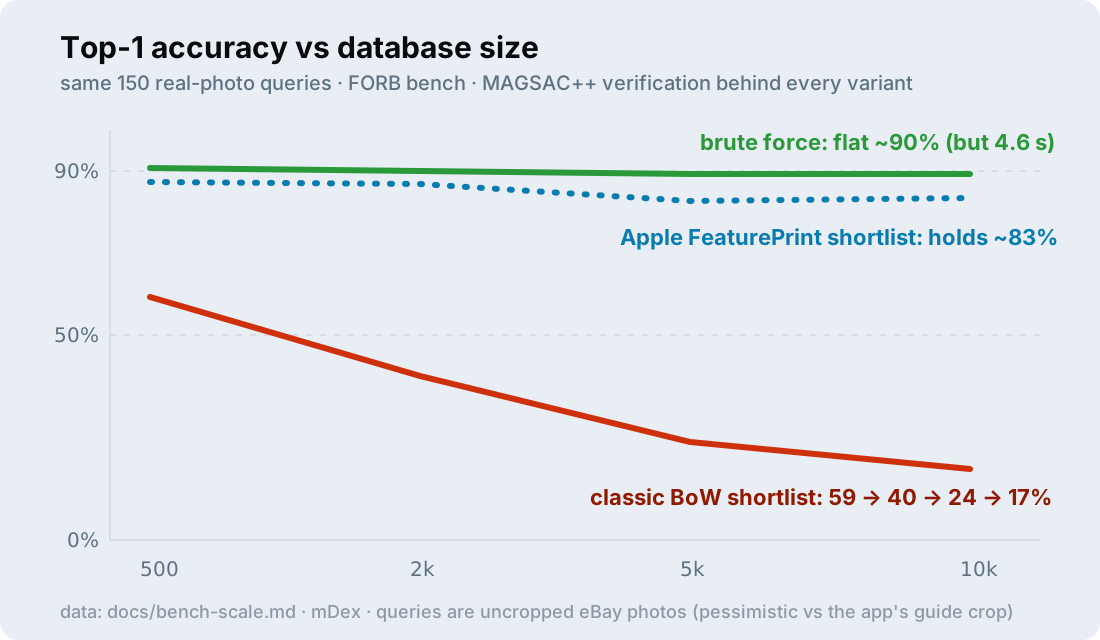
The docs carry the full story: bench-results.md is the 46-variant leaderboard at 500 items, bench-scale.md the scale sweep, forb-setup.md the exact commands to recreate the datasets, and matching-research.md the research notes on why these were the variants worth benchmarking.
Point it at something
The example catalog is paintings because museum collections are the easiest legal dataset, but the interesting version is yours: the bookshelf, the record sleeves, the gig-poster wall, the board game closet. If you build an index of something fun, I want to see it. And the full story of how the matcher got this shape (seventeen Lightning Bolts, a bag-of-words collapse at scale, and a NeurIPS benchmark rematch) is in the previous post.
Read next
I vibe coded an offline card scanner for the National
10,023 trading cards, an offline iPhone scanner, and a return to classic computer vision.